
Project Steps
Face Craft
AI-based face generation. From GANs to diffusion: building a modern generative pipeline

Data Collection & Preprocessing
I began by automatically downloading my own photos from OneDrive through the Microsoft Graph API. I then built a custom preprocessing pipeline that detects faces, crops and aligns them, and applies normalization steps (alignment inspired by ArcFace). The processed images were stored and clustered to clearly separate my own face from other people, resulting in a clean and consistent training dataset.
Initial Experiments with GANs
Using this dataset, I first implemented and trained classical Generative Adversarial Networks (GANs). In this setup, a generator learns to create new face images from a latent vector, while a discriminator tries to distinguish real images from generated ones. This adversarial process gradually improves the realism of the generated faces.
WGAN-GP & Larger Datasets
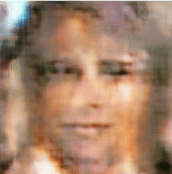
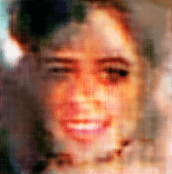
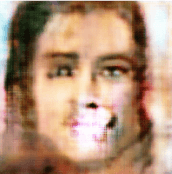
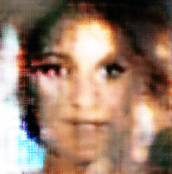
Since training standard GANs proved to be unstable, I transitioned to a WGAN-GP (Wasserstein GAN with Gradient Penalty). Instead of making a binary real/fake decision, the critic outputs a continuous score indicating how close a generated image is to the distribution of real faces. This provides more informative gradients, especially in early training stages, leading to a more stable and controllable training process. An additional gradient penalty enforces smooth behavior of the critic and prevents extreme gradients. To further improve generalization, I incorporated a large external dataset. Despite several days of training on my MacBook (MPS), the resulting quality remained limited, particularly after adding my own face to the dataset.
Transition to Diffusion & LoRA
Due to the limitations of the GAN-based approaches, I moved to a pretrained diffusion model (Stable Diffusion). Diffusion models generate images by progressively denoising random noise, which leads to more stable training and more detailed, realistic results. To adapt the model specifically to my own face, I applied LoRA (Low-Rank Adaptation), allowing efficient fine-tuning by training only a small set of additional parameters while keeping the base model unchanged.
Deployment & Presentation
I deployed the trained model in a Hugging Face Space to make it accessible via an API from my portfolio. In practice, however, CPU-based inference was too slow, while keeping a GPU running continuously would generate ongoing costs. For this reason, I decided against a live demo and instead integrated a slideshow of pre-generated results directly into the portfolio.